AutoCAD Architecture Nested Views

While you can create multiple nested views in an AutoCAD Architecture View drawing the automatic labels won’t initially show the correct values.
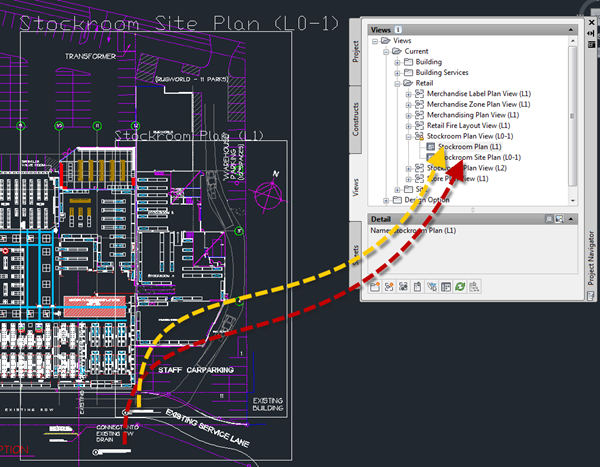
Below you can see a partial location plan with the Stockroom Plan inside it. Both tags will initially show the same values (for the larger view). Just select the tag & drag/drop onto the correct view in Project Navigator.
They will update to show the appropriate values, and will maintain them when the views are dropped on a sheet.