Windows
Leaving a Microsoft Teams (Guest) Account if no longer at the organization
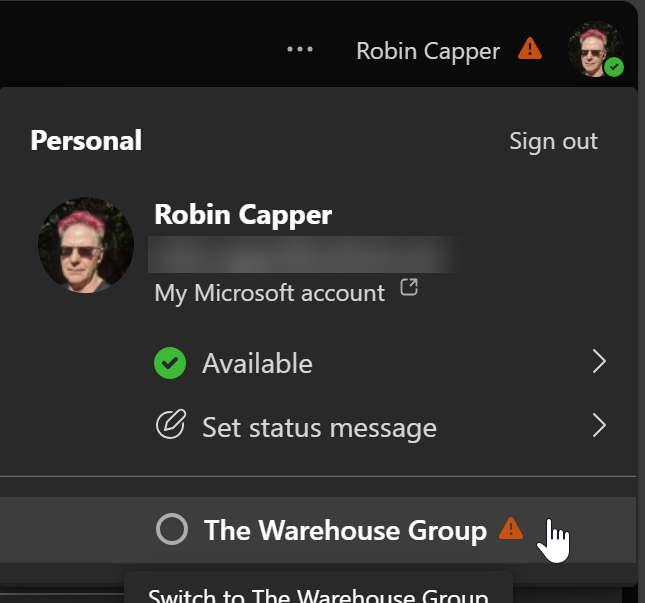
I found a Guest (Ghost) Account in my Personal Teams App, and it was hard to leave!

Windows
I found a Guest (Ghost) Account in my Personal Teams App, and it was hard to leave!
Office
I wonder if Microsoft New Outlook, Microsoft Phone Outlook and Microsoft To Do will ever get their $hit together and present consistent options? Take, for instance, snooze times on a task reminder, you can set a great range of options on a New Calendar Item (1), but at the time
My Surface Book 2 is old, well out of any warranty, but still performs really well for my own needs. It's a home machine but can still run CAD, Revit, even (just) Microsoft Flight Sim, well enough to not consider a replacement. It was a little tight for
Windows
If, like me, you pin a lot of commonly used shortcuts to the Windows 11 Taskbar it will eventually put excess ones into a ...Overflow Menu. How do shortcuts you want end up in there? If an application is updated it will be added to the end of your pinned
Android
I still miss Windows Phone, Niagara Launcher on Android is my current next best, and this is a great look back at most of what went wrong. What I find most annoying is Microsoft had the answer to the fatal 'app gap' with their Android Bridge, which allowed
Windows
If you use Windows Quick Assist to support remote users, they will now have to install an app for it from the Windows Store. Once done it behaves the same but will update etc just like other store apps. Not a big deal until you need to support a remote
As a Surface Book 2 (SB2) owner I watched the launch of its replacement, the Surface Laptop Studio (SLS), this morning with some interest. Although the specification mostly impressed* the new form factor doesn't really appeal. It looses the iconic Surface Book hinge and ability to detach the
Update: Mary Jo Foley reports: Microsoft leaves a loophole for those wanting to run Windows 11 on 'unsupported' hardware An "unsupported state," in this case, means your PC won't be entitled to receive updates via Windows Update. These may (or may not) include security
Web/Tech
I've been working from home (WFH) for 9± weeks using my old desktop PC to Remote Connect to a CAD workstation in the office with no problems. I purchased it in December 2009, and it has been used for intermittent CAD, gaming and general home computing ever since.
Not sure when it started but both AutoCAD & Revit started Zooming to extents after a 'hold the wheel' mouse pan. Maybe something changed (mouse driver) or working on a remote connected machine impacts timing... Bit of a searching I found an Autodesk forum post (about AutoCAD) but
If you are IT supporting locked in family, friends, & colleagues with Windows newer than the August 2, 2016 Anniversary Update (build 14393) Windows Quick Assist will allow you to see and/or control their PC over the web. It makes it much easier to train or troubleshoot problems. You
If working connected to the office machine using Remote Desktop set your home machine to a different Windows theme to the work one. Helps remember which is which when working full screen! If you can adjust BIOS Settings (or your IT Help desk might have to do) some machines have