
Remember that great blog post? Can you find it again? MindManager to the rescue...
There’s a huge amount of CAD related information on the web. Finding it once is getting easier thanks to tools like Search and RSS but often finding it a second time becomes a challenge. You’ll read s...

There’s a huge amount of CAD related information on the web. Finding it once is getting easier thanks to tools like Search and RSS but often finding it a second time becomes a challenge. You’ll read something but weeks, maybe months, later actually need it. While many feed readers allow flagging, or tagging, of posts usually that just captures the title with no context. Search tools will look at all the post content but often the results are not that targeted. Recently I used an article about “CAD training approval” for reference. Google Blog Search returns over two thousand results for that phrase.
One method I use is to store the URL, Title and a few keywords for articles/posts I think maybe useful as I read them. While you could do this in any text editor I use MindManager as it has a few features which make creating & finding these references a snap.
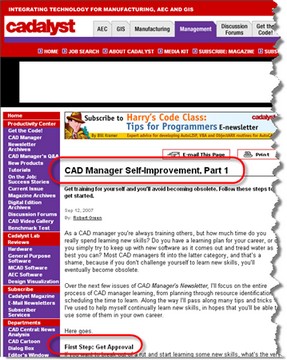
As an example take this article from CAD Management Guru Robert Green. I read it back in September and knew it would useful for upcoming training proposals. A click on the MindManager button

in IE grabs the URL and Title, adding it to the current map. I added the author name as a callout with a link to his contact page (different to the article) and a few key words/phrases which summarise the content. This can be anything but Robert’s section headings work well for his articles.

So far you’ve got some text and hyperlinks which almost any text editor could do. Where MindManager works nicely is you can group posts in categories which collapse & expand for easy viewing. It also has a search function which can scan the current map, all open maps or folders of (closed) maps for key words returning the results in a search pane. This allows rapid searching and access to topics in a click irrespective of where they are stored. I’ll add relevant content from Blogs, Web-pages or Discussion Groups in this format to project, job or system documentation maps as they can all be searched if required.
I used Robert’s post, found thanks to this search, as a reference when working on approval for some team training. Thanks to Robert for the article, MindManager for helping me find it when needed!