A new Process Explorer
Thanks to Jimmy for alerting me that a new version of Process Explorer is out. It's a free Windows Task Manager replacement (formerly Sysinternals, now Microsoft) that gives a much better look at what...

Thanks to Jimmy for alerting me that a new version of Process Explorer is out. It's a free Windows Task Manager replacement (formerly Sysinternals, now Microsoft) that gives a much better look at what is going on in your PC. In addition to more detail on every process it has features the default Task Manager can't match.
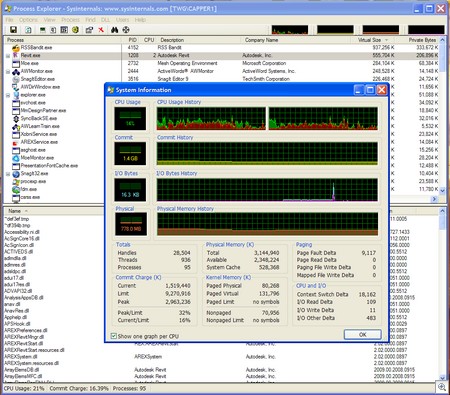
Some features I like:
Replace Task Manager: Select Options > Replace Task Manager to have Process Explorer execute instead of Task Manager (CTRL+Shift+Esc). The menu item changes to Restore Task Manager if you want to revert back to the default.
Find the process: Click on this

and Process Explorer gets out the way to allow you to select a window\component. When you select the item Process Explorer returns showing which process it's associated with.
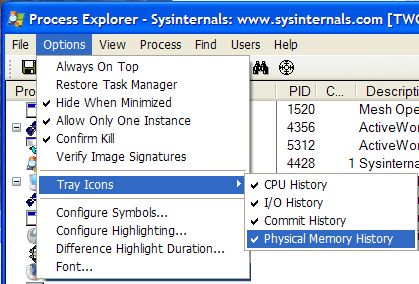
Watch on the Taskbar:

Monitoring critical functions on the Taskbar is handy to keep an eye on resource use when troubleshooting.
Download it from;
Process Explorer v11.3
Ever wondered which program has a particular file or directory open? Now you can find out. Process Explorer shows you information about which handles and DLLs processes have opened or loaded.
Process Explorer v11.3
Ever wondered which program has a particular file or directory open? Now you can find out. Process Explorer shows you information about which handles and DLLs processes have opened or loaded.